MoneyPlan · Drops of Memories
MoneyPlan doesn't log what you already spent: it projects what's ahead. Enter income, expenses and cash, and read what you'll have left month by month — all the way to the end of the plan.
Changing the car, redoing the bathroom, putting a child through a school that costs, getting through a year with one more instalment: money decisions get made by looking at today's balance. But the real question is a different one — if I do it, what's left in December?
MoneyPlan answers that question. With your numbers, not by feel.
The demonstration
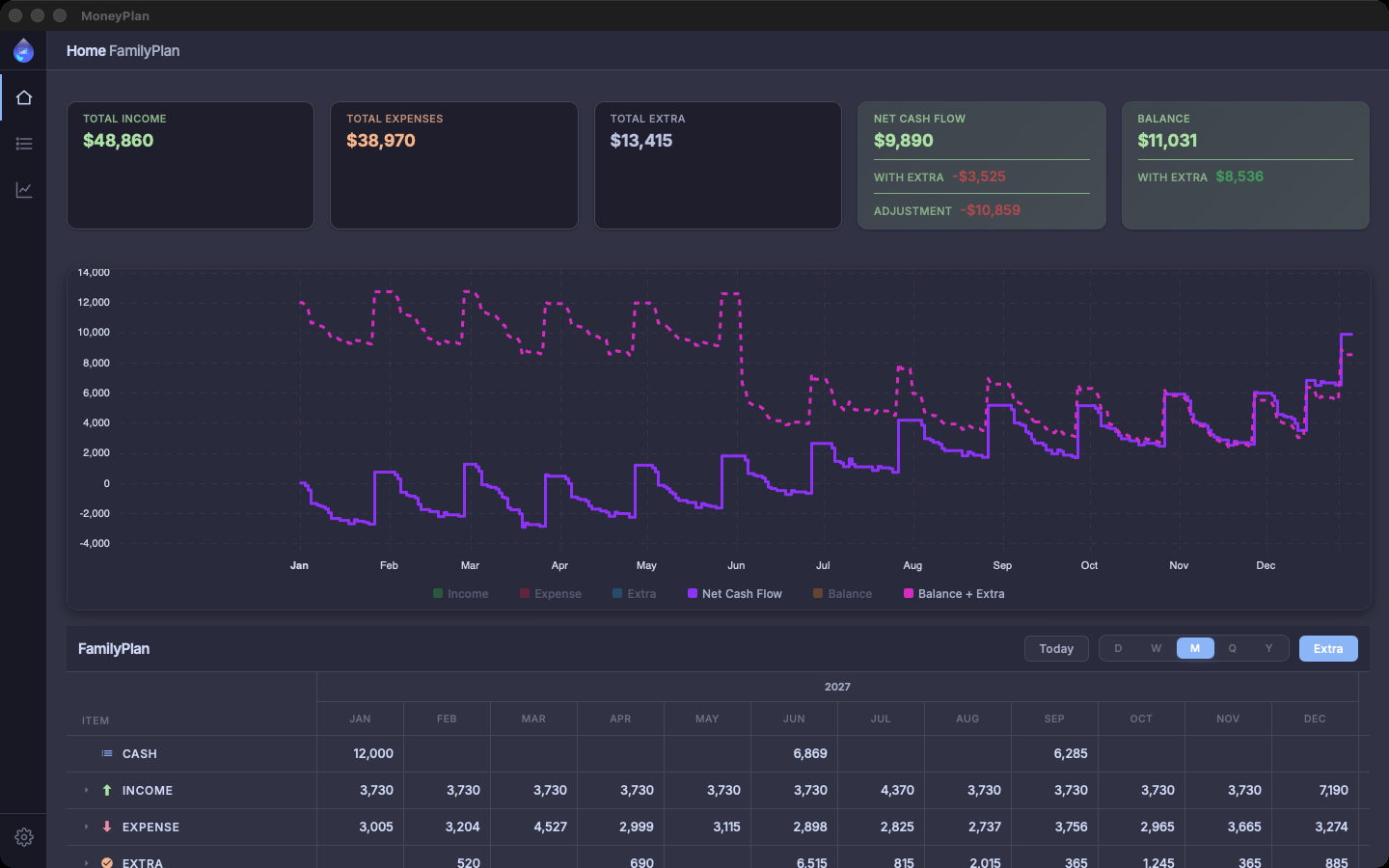
A salary that lands every month, the mortgage, the groceries, the school canteen, the fuel, and in June an Extra of $6,515 still to decide on. Two hundred and forty-two entries in a year. Every screen below is the real app, with these numbers.
Balance projection
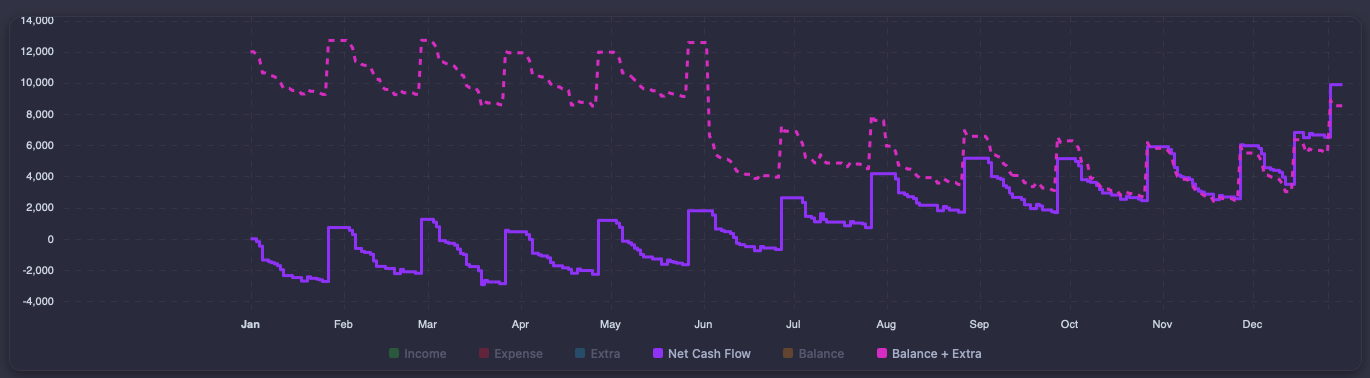
Pick a start and an end date — months or years — and the plan projects the whole period. The cards at the top sum up the year: $48,860 of income, $38,970 of expenses, Net Cash Flow $9,890. The chart keeps the two lines that matter on screen: Net Cash Flow month by month, and Balance + Extra dashed above it. The other series switch on and off from the legend.
Where the money goes
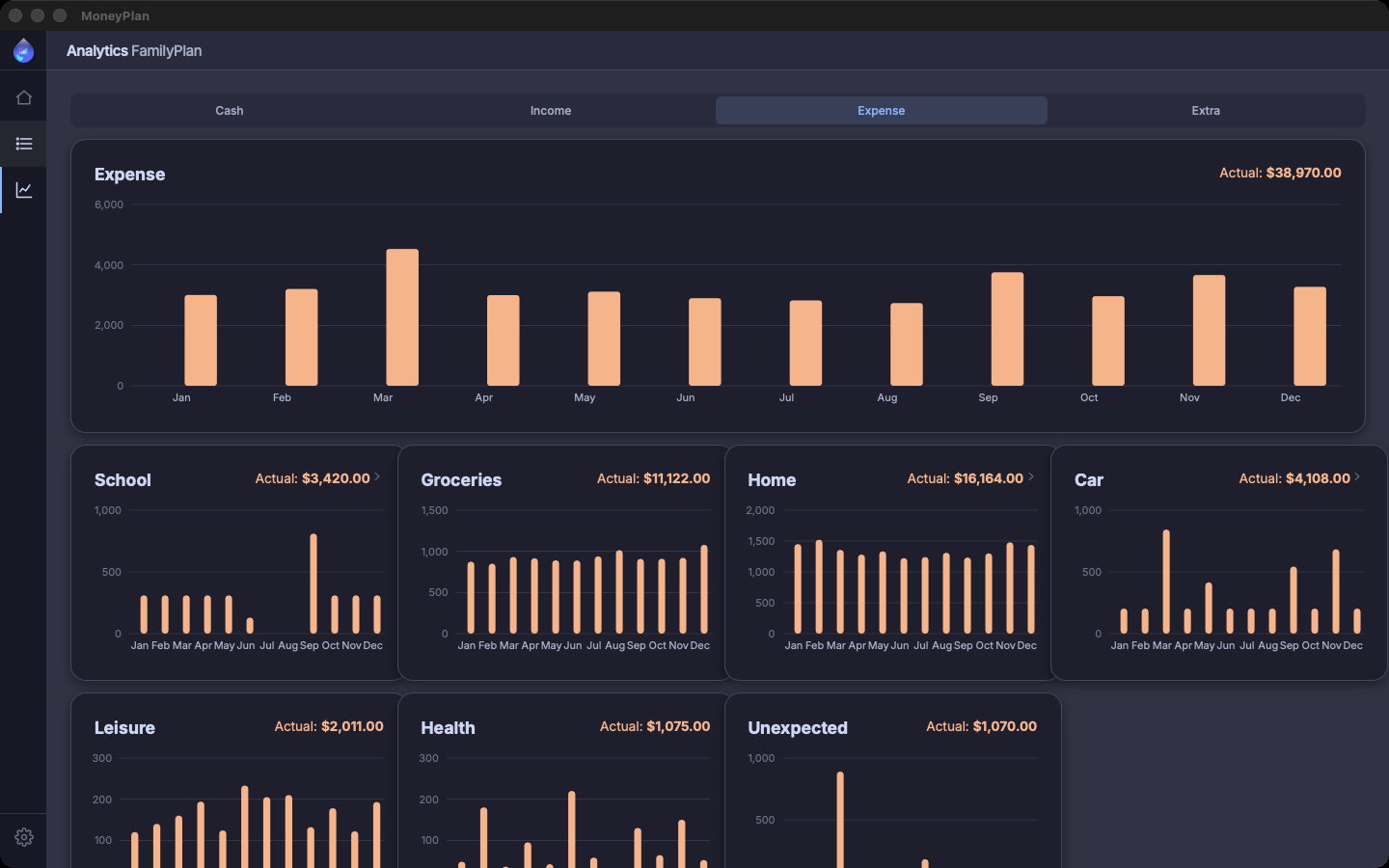
The Analytics view splits the plan into Cash, Income, Expense and Extra. On Expense: $38,970 for the year, and below it the categories one by one — home $16,164, groceries $11,122, car $4,108, school $3,420. Each has its own monthly bars: March sticks out, and you see it before you read the number.
Any granularity
The same projection reads by day, week, month, quarter or year — the buttons at the top right. Next to them, a switch turns Extra on and off across the whole table. In the monthly sheet the Cash row carries $12,000 in January plus the two checkpoints in June and September; Income sits at $3,730 almost every month; Expense swings between $2,737 and $4,527.
Cash
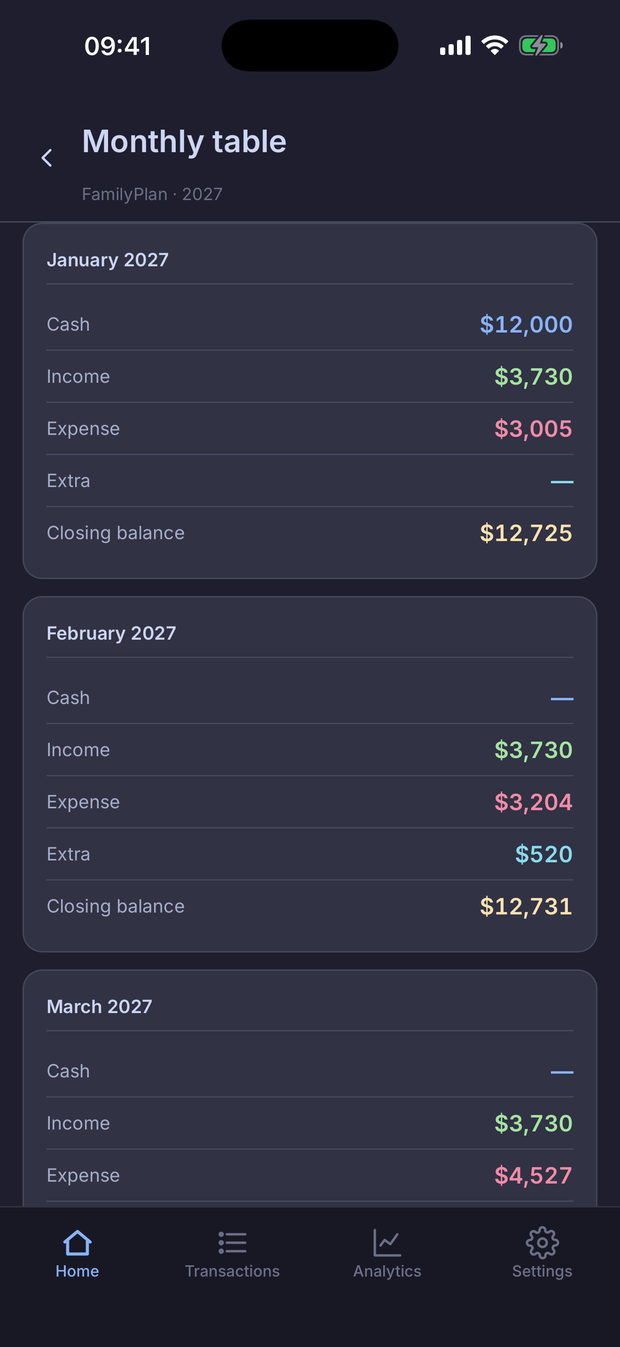
Every so often you enter the real cash you hold on a given date, and the plan realigns from there on. January: Cash $12,000, Income $3,730, Expense $3,005, no Extra — closing balance $12,725. It's the anchor that keeps the projection tied to what's actually in your account.
Extra
The things you'd like to do but haven't committed to go under Extra, and the plan keeps the two sets of numbers apart. Two figures, one question: Net Cash Flow +$9,890 without Extra, −$3,525 with it. Does it fit?
Transactions
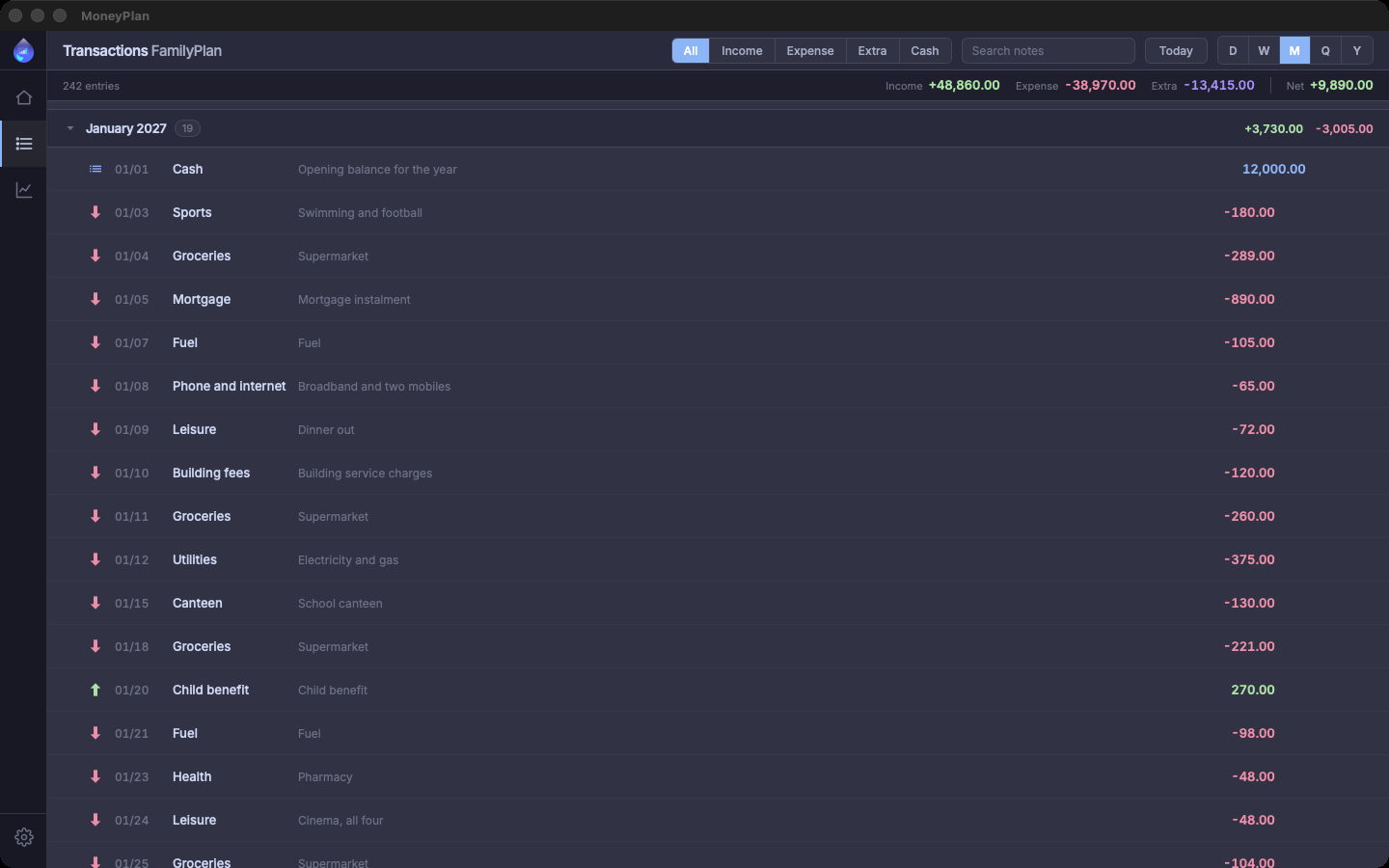
Two hundred and forty-two entries across the year, grouped by month with the totals at the head of each group: January has nineteen, +$3,730 in and −$3,005 out. Above them, filters for Income, Expense, Extra and Cash, and a search across the notes: the mortgage instalment, the supermarket, the canteen, the tank of fuel.
Everything you've seen is the app as it is. Open it on your own numbers: it's the fastest way to tell whether it's for you.
After the download
A name, a start date and an end date. Six months, a year, three years: the horizon is yours to pick.
The income and expenses you already know about, and today's cash. No mandatory import, no bank connection.
The chart and the sheet fill themselves in. The question “what's left in December?” has an answer.
Then the plan grows with you: you add entries, realign the cash, try out the Extra.
Multiple plans
Separate plans inside the same app: the business here, the household there. A freelancer who keeps the two sets of books apart doesn't have to choose which one to look at.
Interface in English and Italian, light and dark theme, localised currencies and date formats.
MoneyPlan Pro
MoneyPlan is free to download and free to use, and in the first three plans you read the projections in full. When you need a fourth — or you want to bring in the numbers you already keep in a spreadsheet — the app offers you Pro.
Pro is a single purchase in the store, once: no subscription. You buy it inside the app, not from here, and it applies to the store you downloaded from — buy it on the Microsoft Store and you won’t find it on the App Store, or the other way round.
Local-first
MoneyPlan works on the numbers you type in, and those numbers never leave your device. It doesn't recommend investments and it doesn't give advice: it projects, and the decision stays yours.
Download MoneyPlan, open a plan on your own numbers and read December's balance. Five minutes, no setup.