Travels · Drops of Memories

Open a trip again years later. It's all still there.

Travels takes the photos you already have and rebuilds the trip: it sorts them by day and by place, draws the route on the map, and sets them beside your notes. No manual work.

  • Try it, it’s free
  • No account
  • Your data stays on your device
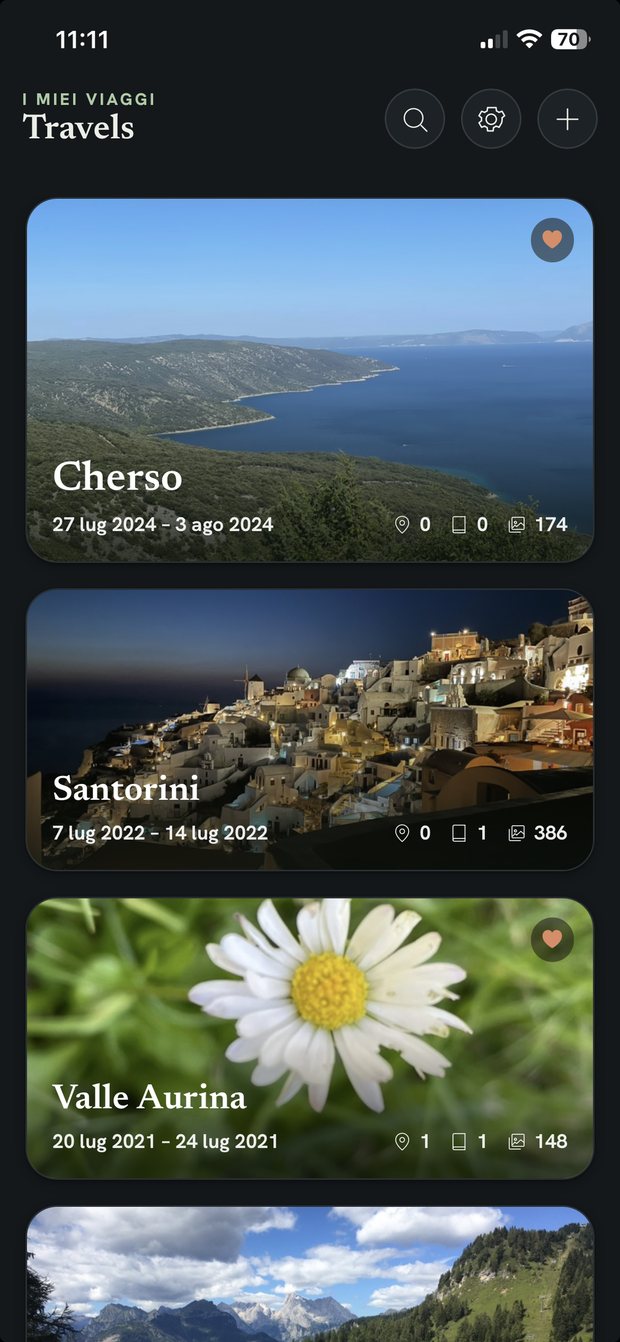
Travels on iPhone: the home screen listing the trips — Cres, Santorini, Valle Aurina
Cres, eight days
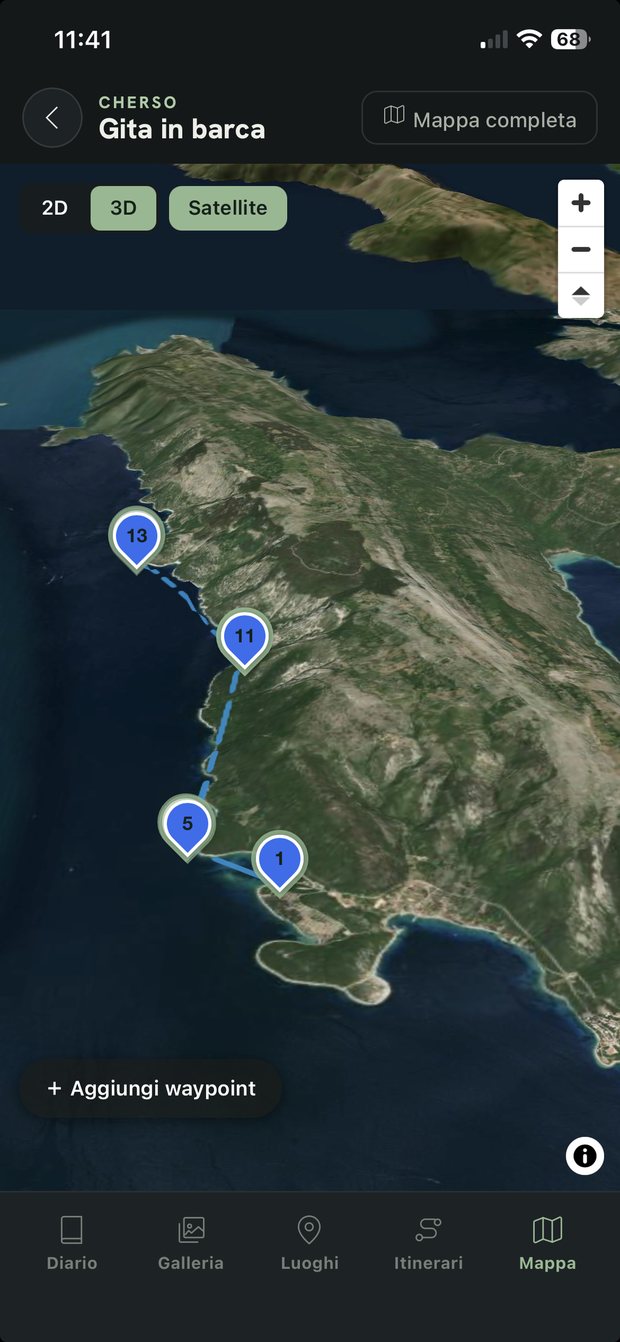
Travels on iPhone: the boat trip route drawn on the map
The boat trip
Real screens
Real trips

You come home with hundreds of photos. In two years they'll be a folder with no name.

For a week you look through them. Then the camera roll moves on and the trip falls behind: dates that mean nothing, places whose names you've lost, the wonderful evening of day four buried among screenshots.

The problem isn't remembering. It's that nobody wants to build the memory by hand. Below is a real trip — Cres, eight days between late July and early August, 174 photos — exactly as it sits inside Travels.

Daily journal

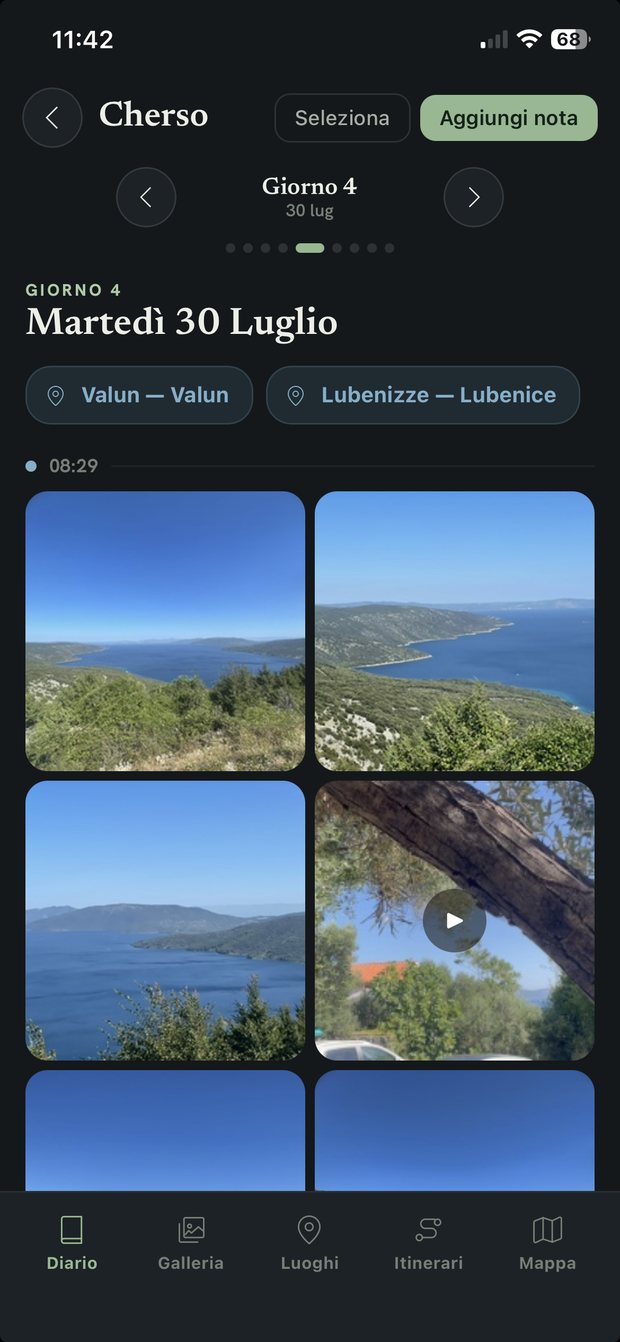
Tuesday 30 July, day 4. Just as it was.

Every day of the trip becomes a page: the photos in the order you took them, with the time, and under them the places you saw that day — Valun, Lubenice. You scroll the trip like an album that laid itself out. And next to the photos there's room for what photos don't say: your notes.

Travels on iPhone: the day 4 journal in Cres, with the photos of 30 July in order and the places Valun and Lubenice
The journal: one feed per day.

Places on the map

Every spot gets its name back.

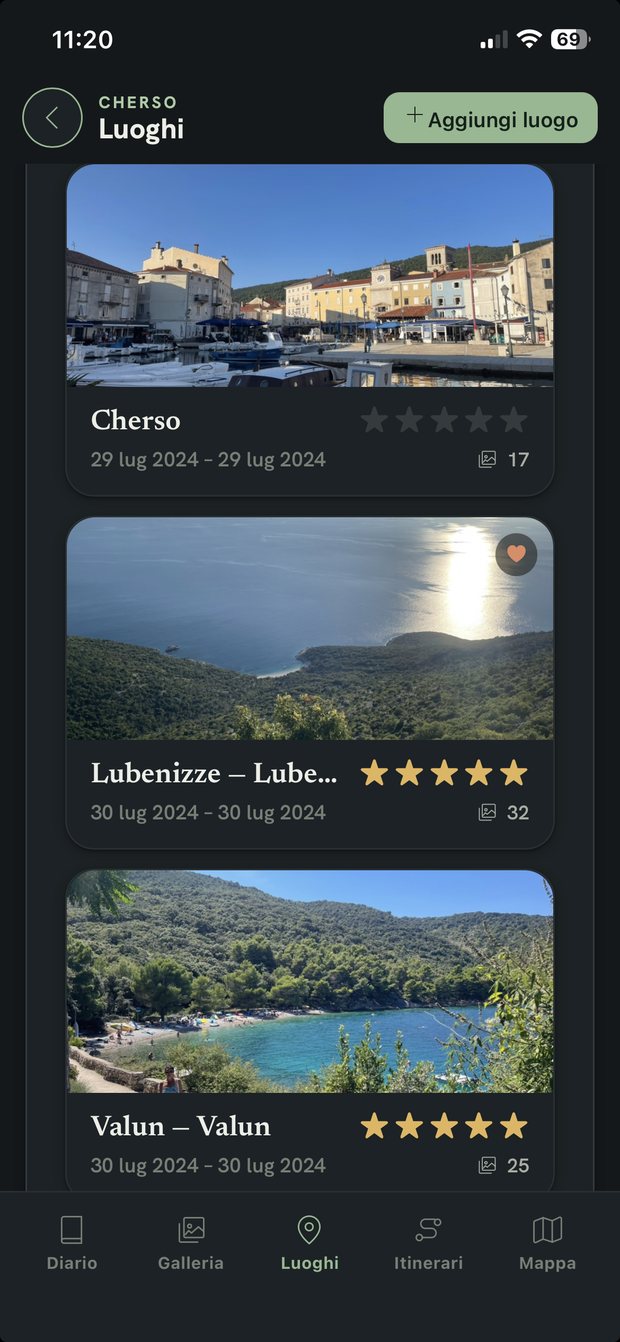
Travels reads where each photo was taken and groups them by place, pinned on the map: Valun beach with its 25 photos, the harbour of Cres with its 17. You can give any place a star rating — to remember where you'd go back.

Travels on iPhone: the list of places visited in Cres, with photos, dates and star ratings
The places of the trip, with their photos.

Routes on the map

The boat trip, drawn along the coast.

Link the places into a route with stops, times and means of transport, and see it traced on the map — in 3D on satellite, too. That day's route, not a generic itinerary.

Travels on iPhone: the boat trip route around Cres drawn on the 3D satellite map, with numbered stops
The route, stop by stop.

Photo and video gallery

On the big screen, too.

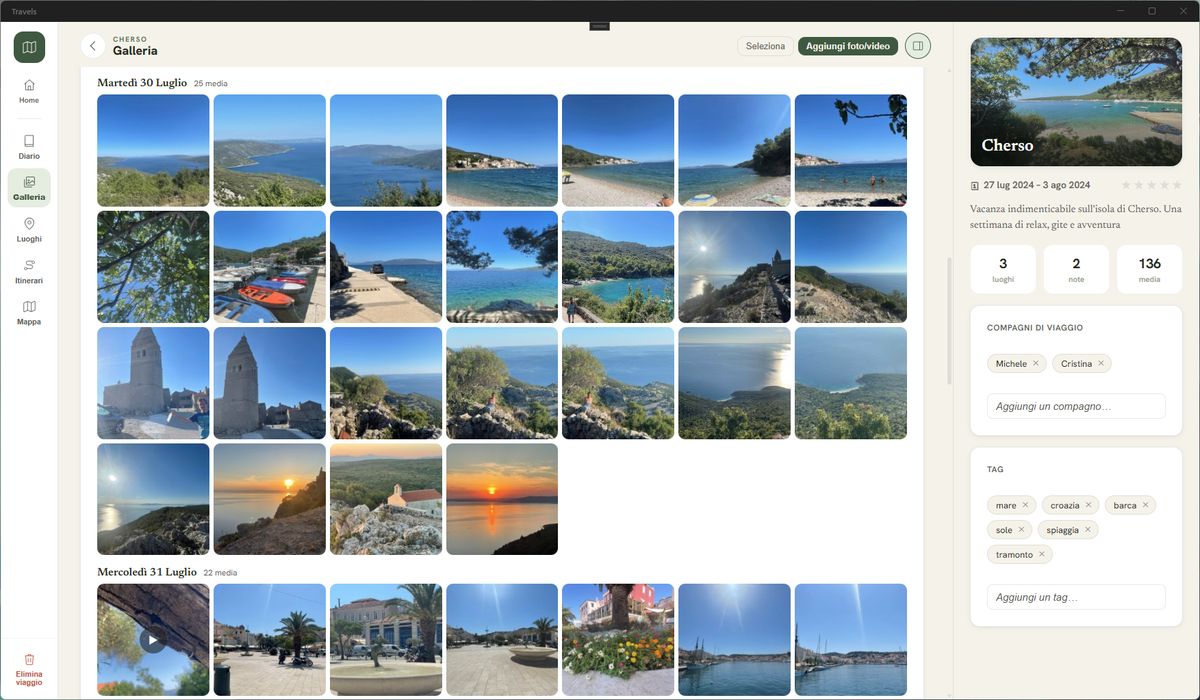
Photos and videos imported from your device, organised by day and by place, ready to browse on a PC as well: Travels is on the App Store and the Microsoft Store, and a trip reads better on a large screen.

Travels on desktop: the gallery with photos organised by day
The desktop gallery, day by day.

The part you write

Photos say what. Your notes say what it was like.

Travels puts the facts in order by itself: the days, the places, the route. But what it was like — the headwind on the boat trip, the trattoria you stumbled into, the evening nobody wanted to end — only you know that.

So every day has its own Add note, always right at the top of the page. One line is enough, written while you still remember: it's the part of the journal no app can write for you — and the part that in a few years will be worth more than ten photos.

Day 4 · Tuesday 30 July

Valun — Lubenice

“Long swim at Valun, then up to Lubenice on foot: brutal climb, view worth every step. Ice cream at the harbour before heading back.”

A sample note. Yours will be better: you were there.

Your last trip is still sitting in the camera roll.

Free, no sign-up. Two minutes and you see your trip.

The first five minutes

Nothing to configure, no profile to fill in. The photos you already have do the work.

01

Open the app

No account to create, no sign-up. You create the trip, give it a name and the dates.

02

Import the photos

Travels reads the date and location of each shot and builds the days, the places and the route on the map by itself.

03

Add the notes

If you feel like it. A line about the day, a star for a place, the name of the trattoria. The rest is already where it belongs.

Travels Pro

Three trips to try it. Then it’s your call.

Travels is free to download and free to use, and in the first three trips nothing is missing: maps, routes, notes, all of it. When a fourth trip asks to come in, the app offers you Pro.

Free Up to three trips, with every feature.
Travels Pro Unlimited trips, for anyone with twenty years of camera roll behind them.

Pro is a single purchase in the store, once: no subscription. You buy it inside the app, not from here, and it applies to the store you downloaded from — buy it on the Microsoft Store and you won’t find it on the App Store, or the other way round.

Your memories stay yours.

Travels lives on your device. The photos, the notes, the places: nothing passes through our servers, because there aren't any.

On your device

Everything works offline except the maps. On Apple devices you can sync through your own iCloud account.

No account

No email, no password, no profile. You download and start.

No tracking

No ads, no telemetry. It's written in plain words in the privacy policy.

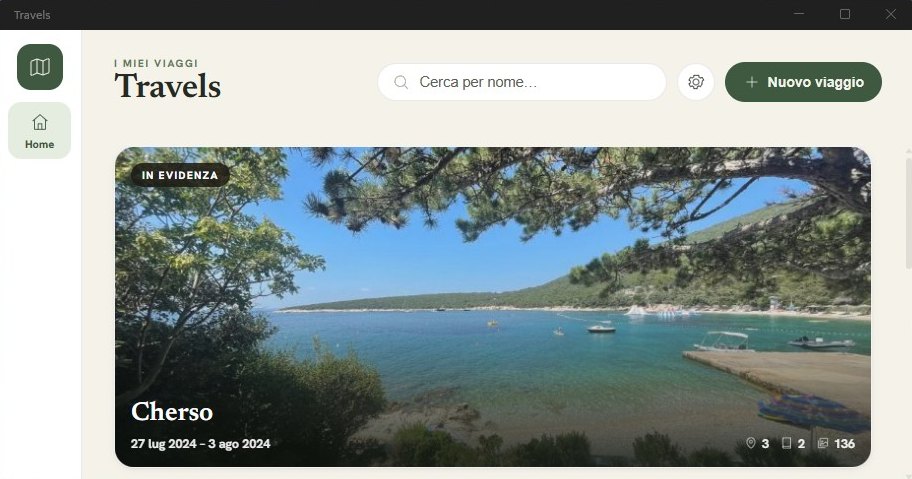
Travels on desktop: the home screen with the list of trips

The next trip deserves to be found again.

And so does the last one: the photos are still there, with their dates and their places. Travels is waiting for them.